Ever wondered how to share your epic gaming moments with the world and connect with a vibrant community of fellow enthusiasts? This comprehensive guide breaks down everything you need to know about how to stream on Facebook Gaming. From initial setup to optimizing your stream quality and engaging with viewers, we cover it all. In 2026, streaming is more accessible than ever, and Facebook Gaming offers a powerful platform to grow your audience. We understand the challenges busy gamers face balancing work family and life while still wanting to enjoy and share their passion. This resource aims to simplify the streaming process providing practical tips and tricks that save you time and effort. Discover the best tools settings and strategies to make your streams look professional and feel authentic without breaking the bank. Learn how to troubleshoot common issues maintain performance and even find game recommendations that fit your schedule. Get ready to elevate your gaming experience and build your community today.
Q: How do I start streaming on Facebook Gaming as a beginner?
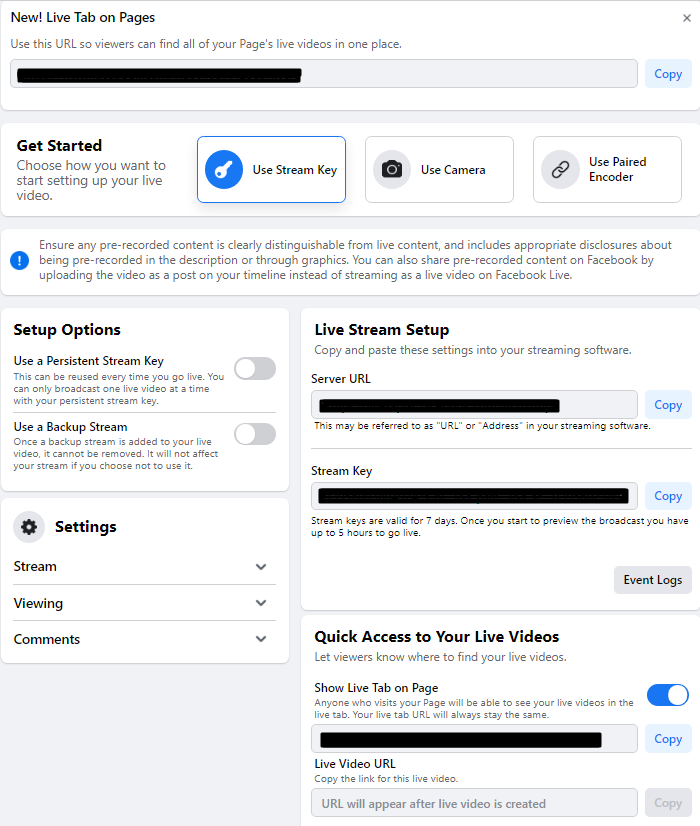
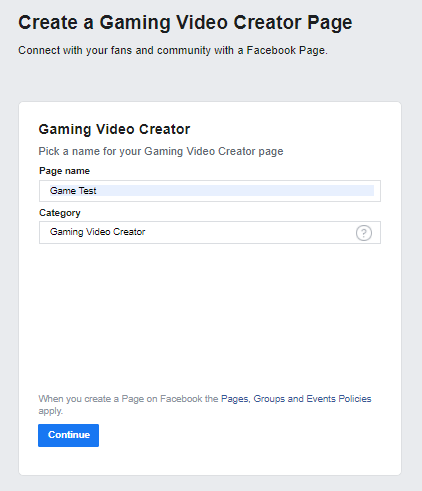
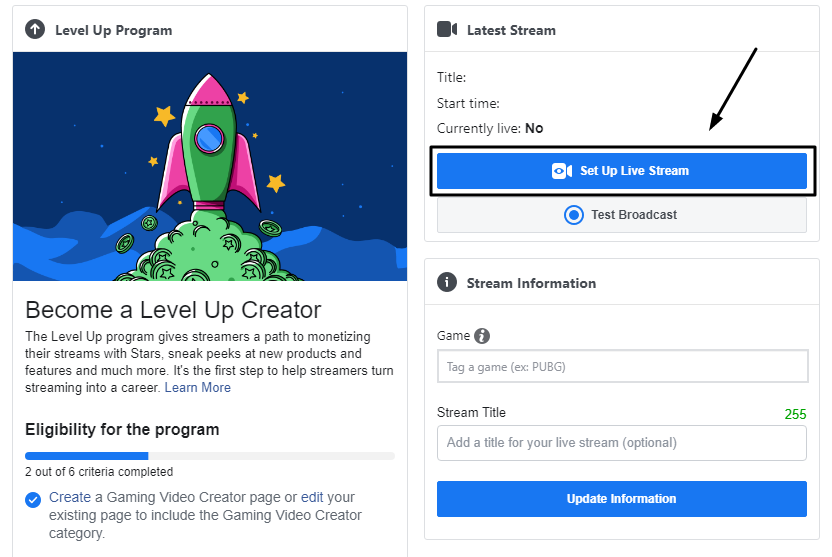
A: For beginners, the simplest way to start streaming on Facebook Gaming is to use a free streaming software like OBS Studio or Streamlabs Desktop. First, download and install one of these programs. Then, navigate to Facebook Creator Studio's Live Dashboard to get your unique 'Stream Key'. In your chosen software, go to settings, select 'Stream', choose Facebook Live as the service, and paste your Stream Key. Configure your video and audio sources such as your game display webcam and microphone. Always do a private test stream to ensure everything is working correctly before going live to your audience. This foundational setup allows you to broadcast your gameplay directly to your Facebook profile or a dedicated Gaming Video Creator Page.
Q: What equipment is essential for a good quality Facebook Gaming stream?
A: Essential equipment for a quality Facebook Gaming stream includes a capable gaming PC or console a reliable internet connection and a decent microphone. While a high-end setup is not required initially a clear microphone ensures your viewers can hear you well. Popular budget friendly options include the Blue Yeti or a good gaming headset. A webcam is also highly recommended to add a personal touch and connect with your audience. Many modern smartphones can serve as a webcam using third party apps. Lastly consider an external capture card if you plan to stream from a console to offload processing from your main system and enhance stream stability.
Q: How can I grow my audience and engage with viewers on Facebook Gaming?
A: Growing your audience on Facebook Gaming involves consistent streaming active promotion and genuine engagement. Share your stream links on your personal Facebook profile other social media platforms and relevant gaming communities. During your streams interact frequently with chatters by calling them out by name and responding to their comments and questions. Ask open-ended questions to encourage conversation. Consider running polls Q&As or community game nights. After streams review your performance metrics in Creator Studio to understand what resonates with your audience and adjust your content strategy accordingly. Consistency in schedule and content type helps viewers know when to tune in.
Q: What are the best practices for optimizing stream performance on Facebook Gaming?
A: Optimizing stream performance on Facebook Gaming is crucial for a smooth viewer experience. Ensure you have a stable and fast internet connection preferably wired Ethernet. In your streaming software adjust your bitrate based on your internet upload speed and desired resolution 1080p at 60fps typically requires a higher bitrate like 4500-6000 kbps. Use an efficient encoder such as NVENC for NVIDIA GPUs or AMF for AMD GPUs to offload the encoding process from your CPU. Close unnecessary background applications to free up system resources for gaming and streaming. Regularly check your streams health in Creator Studio for dropped frames or buffering issues and troubleshoot promptly.
Q: Can I monetize my content as a Facebook Gaming streamer?
A: Yes Facebook Gaming offers several monetization avenues for eligible streamers primarily through its Level Up Program. Once accepted you can earn revenue through Stars virtual gifts viewers can purchase and send to you subscriptions where viewers pay a monthly fee for exclusive perks and in-stream ads. Eligibility requirements for the Level Up Program include maintaining a certain number of followers streaming a minimum number of hours and days per week and adhering to Facebooks Partner Gaming Policies. Continuously engaging with your community and providing quality content are key to qualifying for and maximizing these monetization opportunities.
Q: What are the common issues faced by Facebook Gaming streamers and how to fix them?
A: Common streaming issues on Facebook Gaming include dropped frames poor audio quality and unstable internet connections. Dropped frames often point to an overloaded CPU or an unstable internet connection. Try lowering your stream's resolution bitrate or using a hardware encoder. For audio problems ensure your microphone input levels are correct and that you've selected the right audio device in your streaming software. Using a wired Ethernet connection instead of Wi-Fi can significantly improve internet stability. Always refer to your streaming software's log files and Facebook Creator Studio's stream health for detailed diagnostics to pinpoint and resolve specific issues.
Q: How does Facebook Gaming compare to other streaming platforms for new creators?
A: Facebook Gaming offers a unique advantage for new creators due to its massive built-in social network. Unlike Twitch or YouTube Gaming where you start from scratch Facebook allows you to leverage your existing friends and followers making initial discovery potentially easier. It also has strong mobile integration catering to the dominant mobile gaming market. While other platforms might have a more dedicated gaming centric audience Facebook provides a broad diverse viewer base. Each platform has its pros and cons but Facebook Gamings ease of entry and social sharing capabilities make it an attractive starting point for many aspiring streamers particularly those who value community building.
Are you one of the millions of US gamers who unwind after a long day by diving into your favorite virtual worlds? Perhaps you spend over 10 hours a week honing your skills, building empires, or exploring new dimensions. Like many busy adults, you juggle work, family, and personal commitments, but still crave that gaming connection. Ever thought about sharing those epic victories, hilarious fails, or insightful strategies with a wider audience? Maybe youve asked yourself how do I stream on Facebook Gaming to connect with fellow enthusiasts and build a community around your passion.
For too long, streaming felt like an exclusive club, requiring expensive gear and endless technical knowhow. But in 2026, the landscape has shifted dramatically. With 87 percent of US gamers regularly engaging with their favorite titles and mobile gaming continuing its dominance, the opportunity to share your play is immense and more accessible than ever. This guide is your no nonsense roadmap to mastering how to stream on Facebook Gaming, designed specifically for the modern gamer. We understand you value relaxation, fun, skill building, and staying current without the hype. We are here to address those common pain points from initial setup issues to optimizing performance on a budget. Get ready to transform your gaming sessions into engaging live streams and connect with a vibrant community. Lets break down the barriers and get you streaming like a pro.
How do I set up my first Facebook Gaming stream?
Starting your journey to stream on Facebook Gaming is simpler than you might think. The core process involves choosing your streaming software, connecting it to Facebook, and then going live. Most gamers opt for free, powerful tools like OBS Studio or Streamlabs Desktop. These applications act as your control center, allowing you to capture your gameplay, webcam, and microphone. First, download and install your chosen software. Within the software, look for settings related to 'Stream' or 'Broadcast'. You'll need to link your Facebook account. Facebook uses a 'Stream Key', which is a unique code that authorizes your software to stream to your profile or page. You can find this key in your Facebook Creator Studio under 'Live Dashboard'. Copy the key, paste it into your streaming software, and you are almost ready. Remember to set up your game capture, selecting the specific game window you want to display to your viewers. It is crucial to run a test stream first, perhaps on a 'Only Me' privacy setting, to ensure everything looks and sounds correct before a public broadcast. This preliminary check helps you iron out any kinks in your audio visual setup, ensuring a smooth experience for both you and your future audience.
What equipment do I need to stream on Facebook Gaming without breaking the bank?
You do not need a professional studio to start streaming on Facebook Gaming. Many busy gamers on a budget can begin with what they already have. A decent gaming PC or console is a must, and most modern systems can handle streaming duties. For audio, a good quality headset with a microphone is often sufficient. Brands like HyperX or SteelSeries offer excellent options under 100 that provide clear communication. If you want a dedicated microphone, the Blue Yeti or Razer Seiren Mini are popular choices for their sound quality and affordability, around 50 100. As for a webcam, your smartphones camera can often be used via apps like DroidCam or EpocCam, providing surprisingly good quality for free or a small one time purchase. If you prefer a dedicated webcam, the Logitech C920 series remains a reliable choice at around 60. Remember, the goal is to get started, not to achieve perfection immediately. You can always upgrade later as your audience grows. Focus on a stable internet connection, as even the best gear wont compensate for constant buffering. A wired Ethernet connection is always preferred over Wi-Fi for stability.
How can I optimize my stream settings for smooth performance?
Optimizing your stream settings is key to avoiding lag and dropped frames, which can quickly turn viewers away. The main factors are your internet upload speed, CPU/GPU, and streaming software settings. First, ensure you have a strong, stable internet connection. Use a wired Ethernet connection for maximum reliability. In your streaming software like OBS Studio, the critical settings are 'Resolution', 'Frame Rate (FPS)', and 'Bitrate'. For most new streamers aiming for 1080p 60fps, a bitrate between 4500-6000 kbps is recommended, provided your internet can handle it. If you experience performance issues, try lowering the resolution to 720p or the frame rate to 30fps. Utilize hardware encoders like NVENC for NVIDIA graphics cards or AMF/VCE for AMD, as these offload the encoding work from your CPU, significantly improving game performance. Always run a test stream before going live to fine tune these settings. Closing unnecessary background applications and ensuring your gaming PC has adequate cooling can also contribute to smoother streams.
What are the best games to stream on Facebook Gaming for a busy schedule?
For gamers balancing work, family, and life, choosing the right games to stream on Facebook Gaming is crucial. The best games are often those that allow for flexible session lengths, have high replayability, or foster strong community interaction. This month, social and cozy games are trending, offering relaxing experiences that are great for winding down. Consider titles like Animal Crossing, Stardew Valley, or indie simulation games, which allow for shorter, engaging streams. Free to play multiplayer games such as Valorant, Apex Legends, or even mobile legends like Mobile Legends Bang Bang are also excellent choices. They often have large, active communities and offer endless content. Esports viewing also remains popular, so playing competitive titles can attract a dedicated audience. Avoid games with very long, linear story modes unless you can commit to consistent long streams. The key is to pick something you genuinely enjoy, as your enthusiasm will shine through, regardless of the games popularity.
How do I engage with viewers and build a community on Facebook Gaming?
Engagement is the lifeblood of a successful stream and a thriving community. To effectively engage with your viewers on Facebook Gaming, make sure you are regularly interacting with your chat. Acknowledge viewers by name, respond to their comments and questions, and ask open-ended questions to encourage further conversation. Tools within your streaming software can display chat on your screen, making it easier to see messages. Consider setting up a Discord server for your community where viewers can connect outside of streams, share clips, and suggest games. Run polls, Q&As, or even community game nights where you play with your viewers. Remember that in 2026, social gaming is a huge trend, and people are looking for connection. Be authentic, share your personality, and let your passion for gaming shine. Consistency in your streaming schedule also helps build loyalty, as viewers know when to expect you online. Building a community takes time and effort, but the rewards in genuine connection are immeasurable.
Can I stream from my mobile device on Facebook Gaming?
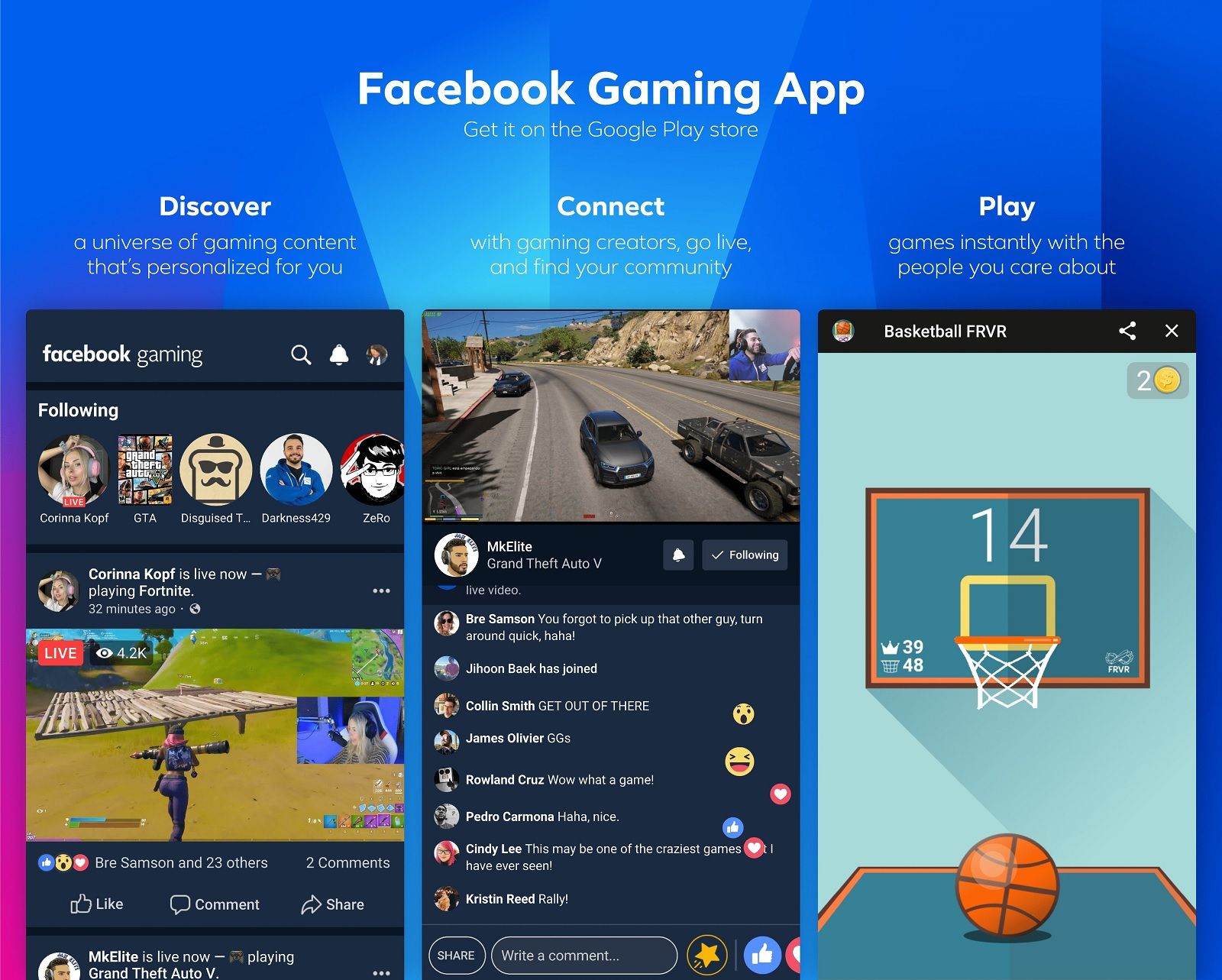
Yes, streaming directly from your mobile device on Facebook Gaming is not only possible but increasingly popular, reflecting the dominance of mobile gaming. The Facebook Gaming app itself allows you to go live directly from your phone or tablet. This is particularly convenient for mobile gamers who want to share their gameplay of trending titles like Mobile Legends, Call of Duty Mobile, or PUBG Mobile. To stream, open the Facebook Gaming app, tap the 'Go Live' button, select the game you want to stream, and configure your microphone and camera settings. You can even overlay your front facing camera to show your reactions. For more advanced mobile streaming, you can use screen mirroring software to project your mobile game onto a PC, and then use OBS Studio or Streamlabs Desktop to capture and stream it. This method offers greater control over overlays, alerts, and overall stream production quality, catering to gamers who want a more polished mobile stream without a dedicated capture card.
How do I troubleshoot common streaming problems on Facebook Gaming?
Every streamer, new or experienced, encounters technical glitches. Knowing how to troubleshoot common streaming problems on Facebook Gaming can save you a lot of headaches. If you're experiencing dropped frames, first check your internet connection's upload speed and stability. A wired Ethernet connection is always best. Next, verify your streaming software's bitrate; if it's too high for your internet, lower it. High CPU usage can also cause dropped frames; try using a hardware encoder (NVENC, AMF) or reducing your in-game graphics settings. For audio issues, ensure your microphone is selected correctly in OBS/Streamlabs and that its levels aren't too high or low. Check your Facebook Creator Studio's Live Dashboard for stream health indicators, which can often pinpoint specific issues. Sometimes, a simple restart of your streaming software and even your computer can resolve minor bugs. Regularly updating your graphics drivers and streaming software is also a good preventative measure against common performance problems. Always approach troubleshooting systematically, checking one variable at a time.
What are some tips for balancing gaming and life while streaming?
For the average gamer, around 36 years old, who balances gaming with jobs, families, and life, streaming needs to fit seamlessly into their routine, not disrupt it. The key is setting realistic expectations and maintaining a schedule. Dont feel pressured to stream for hours on end; shorter, consistent streams (e.g., 1-2 hours, 2-3 times a week) are more sustainable and build loyalty. Communicate your schedule with your family and viewers so everyone knows when you will be online. Treat streaming as a hobby that enhances your relaxation and social life, rather than another job. Time management is crucial; allocate specific slots for gaming and streaming, just as you would for other commitments. Use your stream time as a mental break, a way to connect with others, and a fun outlet for your passion. Remember, gaming should be fun and stress relieving, not another source of pressure. Its about quality over quantity, delivering engaging content during your available time.
How can I make my Facebook Gaming streams stand out?
Making your Facebook Gaming streams stand out in a crowded space involves a mix of personality, production quality, and unique content. First, cultivate your unique streaming persona. What makes you different? Are you humorous, highly skilled, or incredibly laid back? Let your personality shine through. Second, invest in minor production enhancements. Simple overlays, custom alerts, and a clear webcam and microphone can significantly elevate your streams professional feel without being overly expensive. There are many free or low cost overlay templates available. Third, consider niche content. While popular titles are good, explore indie games, retro games, or unique challenges within popular games that other streamers might not be doing. This month,
Easy setup for streaming on Facebook Gaming Optimizing stream quality for better viewer experience Engaging with your audience effectively Troubleshooting common streaming issues Best practices for balancing gaming and life while streaming Discovering new games that are great for streaming on Facebook Gaming Building a community of like minded gamers Practical tips for budget friendly hardware upgrades
35


How To Stream On Facebook Gaming In 2026 Easy Guide How To Stream On Facebook Gaming.webp. How To Live Stream PC Games On Facebook 2026 YouTube . Facebook Gaming Xbox App At Jeffrey Worsham Blog FB Gaming Windows Central 1 . How To Live Stream PC Games On Facebook YouTube . Facebook Gaming Live Stream YouTube


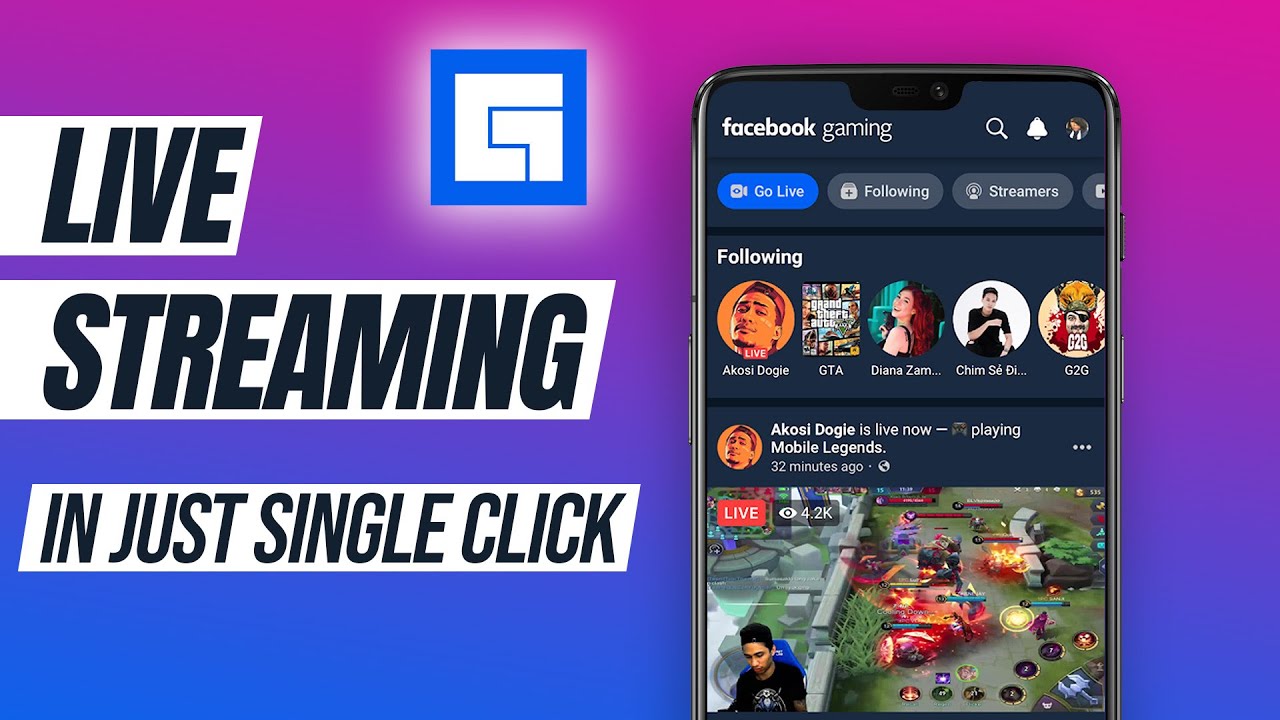
How To Live Stream Games On Facebook 2026 YouTube . How To Stream Any Android Games Gameplay From Mobile To Facebook Gaming . How To Stream Games To Facebook Gaming 2026 Step By Step Setup Featured Image Hhhrn1g4 . How To Stream Games On Facebook Gaming An Update For 2026 Facebook Gaming 3 . How To Live Stream Any Game On Facebook From Android Using Facebook


/i.s3.glbimg.com/v1/AUTH_08fbf48bc0524877943fe86e43087e7a/internal_photos/bs/2019/C/l/dDD16wRw2ukAmxVbCPGg/passo-1-.jpg)

How To Get Started Streaming On Facebook Gaming Windows Central Facebook Gaming Web 1 . What Is Facebook Gaming And How Does It Work 144781 Apps Feature What Is Facebooks New Game Streaming Hub And How Does It Work Image1 8hcfnrytkr . How To Stream Games On Facebook With OBS Beginner S Guide YouTube . Como Fazer Stream Live No Facebook Gaming Passo 1 . Facebook Gaming Live Stream Setup How To Stream On Facebook Using
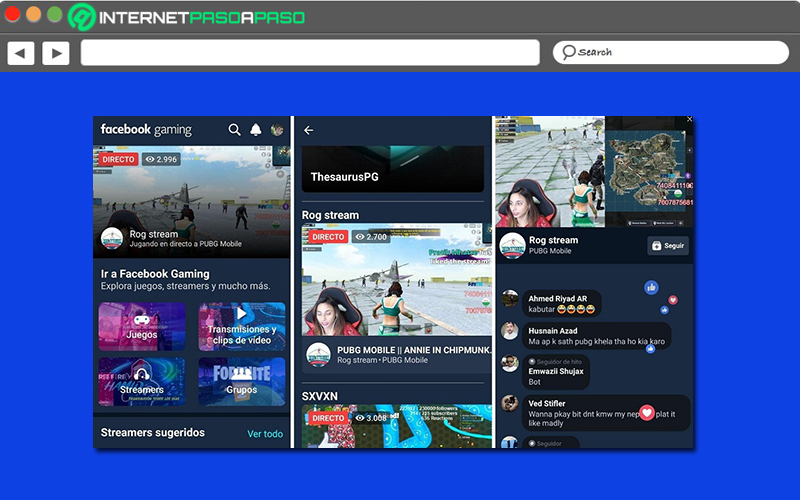
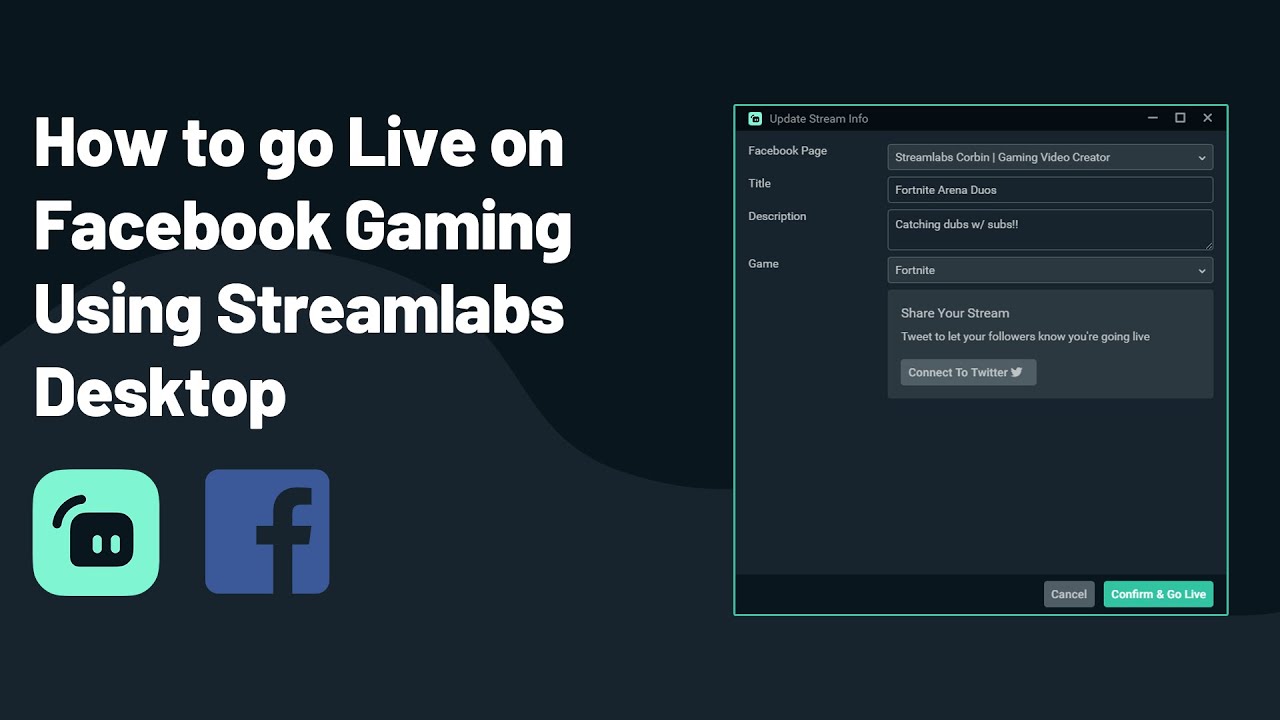


Live Streaming On Facebook Gaming Step By Step Guide 2026 Aprende Paso A Paso Como Realizar En Vivo De Tus Partidas En Facebook Gaming 2 . How To Start A Live Stream Facebook Gaming YouTube . Social Media For Gamers 2026 Top Platforms Tools Facebook Live Game Streaming 1536x695 . How To Get Started Streaming On Facebook Gaming Windows Central Fb Gaming Page Create 1 . How To Stream Games On Facebook Gaming An Update For 2026 Facebook Gaming 2


How To Stream Games On Facebook Gaming An Update For 2026 W=2281. Facebook Gaming Gameroom Download Gratis F R Web App Gizmodo Facebook Gaming Gameroom Valu4X . How To Stream Games On Facebook Best Method YouTube . Do Live Stream To Facebook Using OBS Studio Facebook Live 2026 YouTube . How To Stream Games On Facebook Gaming An Update For 2026 Facebook Gaming 4


How To Use Facebook Gaming App To Live Stream Mobile Games Facebook Gaming Live Streaming App . Facebook Gaming Watch Live Video Game Streaming WLQpPfC0EqH . Facebook To Discontinue Its Gaming Creator Program In 2026 1350661 122903 Updates . Where Did Facebook Go Wrong With Its Dedicated Gaming App That Is About E06dc 1920 . Ready To Stream How To Start FB Gaming Today Facebook Gaming Overview


How To Stream On Facebook Gaming Filipino Tagalog YouTube . Twitch Partner Program How To Join Guide How To Join Affiliate Programs 7 Facebook Gaming 1068x534 . How To Stream On Facebook Gaming Best Stream Settings In 2020 YouTube . What Is Facebook Gaming And How Does It Work 144781 Apps Feature Gallery Image1 Nilulk8zmf . Facebook Gaming The Ultimate Guide To Facebook Gaming Resize