Uncover the vital role RAM plays in your gaming setup and how it impacts performance load times and overall experience for the average gamer balancing life and leisure Understanding whether gaming uses RAM effectively is crucial for smooth gameplay especially with modern titles and multitasking like streaming This guide dives deep into how much RAM you truly need what speed matters and how to optimize your current system without breaking the bank We address common pain points like stuttering lag and long loading screens providing practical actionable advice to enhance your gaming sessions and ensure you get the best value from your hardware upgrades Stay current with 2026 trends and optimize your setup to enjoy every moment of your precious gaming time without frustration
What is RAM and how does gaming use it?
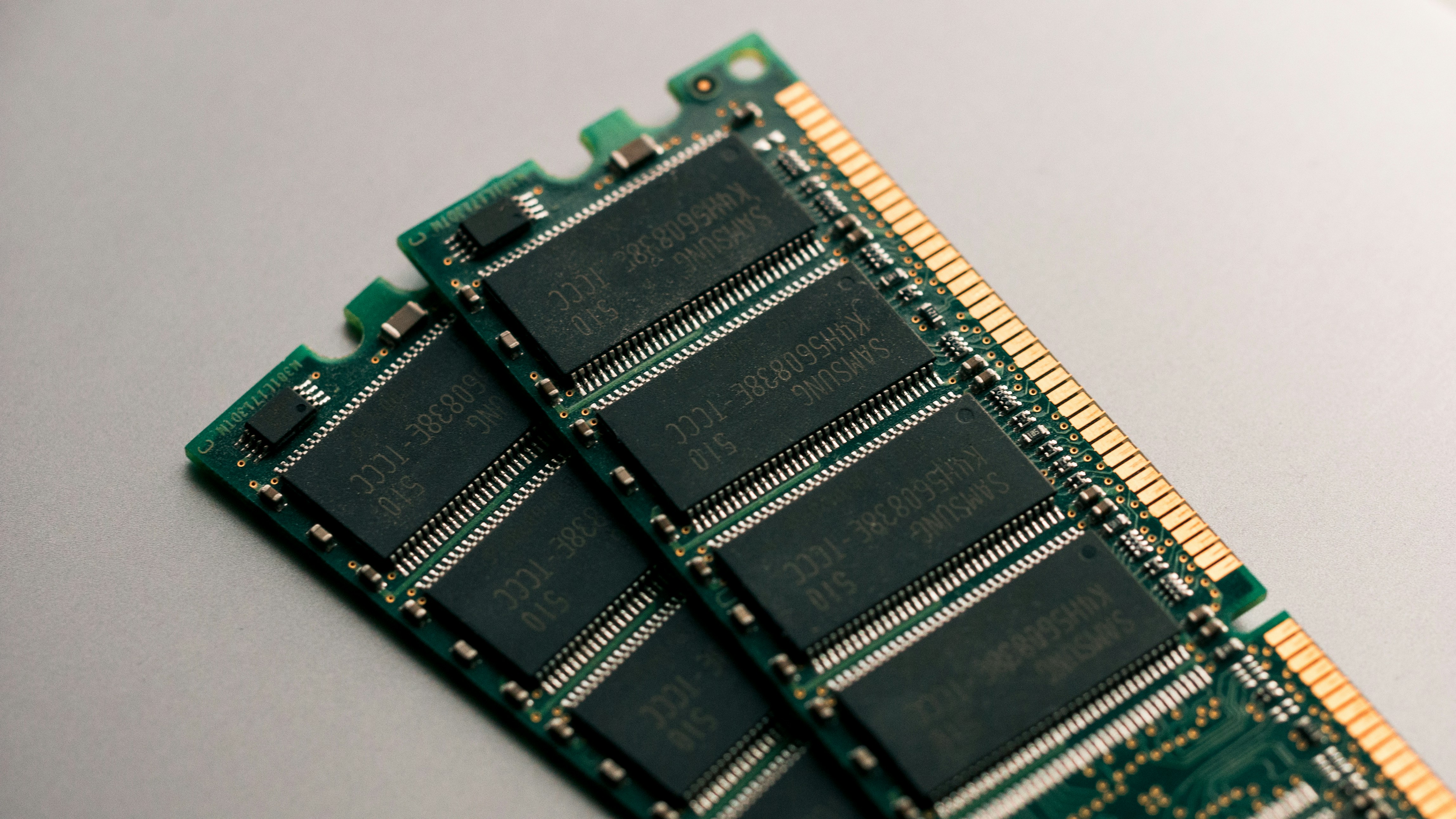
RAM, or Random Access Memory, is your computer's short-term, super-fast workspace where active game data like textures, models, and world information are stored for immediate access. When you play a game, your CPU and GPU constantly pull data from RAM to process graphics and game logic. Without enough fast RAM, your system struggles to keep up, leading to performance bottlenecks, stuttering, and extended loading screens. It's essentially the quick-access memory bank vital for smooth, responsive gameplay.
How much RAM is truly needed for gaming in 2026?
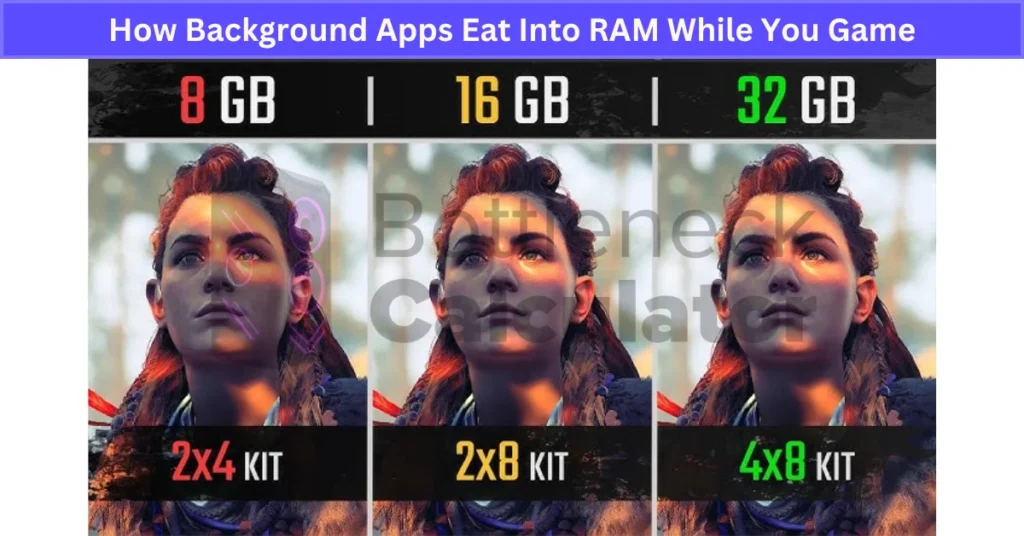
For most gamers in 2026, 16GB of RAM is the recommended minimum for a fluid experience across modern AAA titles. However, if you frequently multitask, stream, or want to future-proof your system for upcoming demanding games, 32GB of fast RAM (like 3200MHz DDR4 or high-speed DDR5) is becoming the ideal sweet spot. While 8GB might run some games, it's increasingly a bottleneck for newer releases, causing frustrating performance drops.
Does RAM speed significantly impact my gaming FPS?
Yes, RAM speed, measured in MHz, significantly impacts gaming performance, especially when paired with modern CPUs. Faster RAM allows your CPU to fetch data more quickly, reducing latency and often leading to noticeable improvements in minimum frame rates and overall frame consistency. While a GPU upgrade usually offers bigger gains, optimizing for fast RAM, particularly in dual-channel configurations, ensures your system isn't bottlenecked by slow memory access, contributing to smoother gameplay.
Can I upgrade my RAM to boost gaming performance?
Absolutely. Upgrading your RAM is one of the most straightforward and effective ways to boost gaming performance, especially if you currently have 8GB or less, or if your RAM is very slow. Adding more capacity or installing faster modules directly improves your system's ability to handle game data quickly. Ensure your new RAM is compatible with your motherboard (DDR4 vs. DDR5) and that you install it in dual-channel mode for optimal results. This upgrade often yields noticeable improvements in loading times and stutter-free gameplay.
What are the common signs my gaming PC needs more RAM?
Common signs that your gaming PC needs more RAM include frequent in-game stuttering or freezing, especially during intense action or when loading new areas. You will also notice significantly longer loading times for games and levels, and your entire system may feel sluggish, even when not gaming, if many applications are open. The Task Manager showing very high RAM usage (e.g., 90%+) while gaming, or constant hard drive activity as your system uses virtual memory, are clear indicators it's time for a RAM upgrade.
Is it better to have more RAM or faster RAM for gaming?
For gaming, it's best to have a good balance of both capacity and speed, but capacity is usually the initial priority up to a certain point. If you have less than 16GB, increasing capacity should be your first step. Once you have 16GB or 32GB, then focusing on faster RAM (e.g., 3200MHz-3600MHz for DDR4, or 6000MHz+ for DDR5) will provide more performance benefits, improving minimum frame rates and overall system responsiveness. Never sacrifice sufficient capacity for speed alone.
How does RAM affect multitasking and streaming while gaming?
RAM profoundly affects multitasking and streaming while gaming. Gaming itself is RAM-intensive, but running additional applications like streaming software, voice chat (Discord), and multiple browser tabs simultaneously dramatically increases RAM demand. With insufficient RAM, your system will struggle to manage all these processes, leading to stuttering in games, dropped frames in streams, and overall system unresponsiveness. For any serious streamer or multitasker, 32GB of fast RAM is highly recommended to ensure smooth operation across all applications without performance compromises.
Ever found yourself staring at a frozen screen mid-boss battle or enduring agonizing load times when all you want is to dive into your favorite game after a long day? You are not alone. For many US gamers, balancing work, family, and life means precious gaming moments are often squeezed in, and any performance hiccup can quickly turn relaxation into frustration. You might wonder, does gaming use RAM, and if so, how much does it truly matter? The short answer is: a lot, and it matters immensely. With 87% of US gamers regularly diving into virtual worlds, often dedicating 10+ hours a week, ensuring a smooth, responsive experience is paramount.
Modern games are resource hungry beasts, and Random Access Memory, or RAM, is their all-you-can-eat buffet. It is the short-term memory your computer uses to store active game data, ensuring quick access for your CPU and GPU. Without enough fast RAM, your system struggles, leading to stuttering, slow loading screens, and an overall sluggish experience that detracts from the fun. This comprehensive guide is designed for you: the gamer who values performance optimization, smart upgrades, and making the most of every gaming session without hype. We will demystify exactly how gaming uses RAM, how much you need, and practical steps to ensure your setup is ready for today's and tomorrow's titles.
What Exactly is RAM and Why is it Crucial for Gaming?
RAM, or Random Access Memory, is essentially your computer's short-term memory bank. Think of it as a super-fast workspace where your CPU and GPU can quickly access all the data needed for the games you are currently playing. Unlike your hard drive or SSD, which store files long-term, RAM holds temporary data like game textures, character models, world data, and running processes for immediate use. When you launch a game, its essential components are loaded into RAM for rapid access. This rapid access is critical because the CPU and GPU constantly need to fetch data to render frames and process game logic. Without sufficient or fast enough RAM, your system has to constantly swap data to slower storage, causing noticeable delays and frame drops that spoil the immersive experience.
How Much RAM Do I Actually Need for Gaming in 2026?
For most gamers in 2026, 16GB of RAM is the sweet spot, providing a solid balance of performance and value. While 8GB might allow you to run older or less demanding games, it will quickly become a bottleneck for modern AAA titles, especially if you multitask. Many current games now list 16GB as their recommended specification, and some demanding titles are even starting to suggest 32GB for optimal settings and seamless experience. If you are serious about gaming, stream your sessions, or frequently run multiple applications alongside your games, opting for 32GB will provide significant headroom and future-proofing, ensuring your system handles whatever comes next without breaking a sweat.
Can Too Little RAM Really Ruin My Gaming Experience?
Absolutely, insufficient RAM can severely hamper and even ruin your gaming experience. When your system lacks enough RAM to hold all the necessary game data, it resorts to using virtual memory, which involves temporarily moving data to your much slower storage drive (SSD or HDD). This constant swapping process, known as 'paging,' causes noticeable stuttering, dramatic frame rate drops, extended loading screens, and overall unresponsiveness. It can make even powerful CPUs and GPUs seem underpowered, as they spend valuable cycles waiting for data. Imagine trying to read a book, but every few sentences you have to run to another room to grab the next page; that is what your system does with too little RAM, leading to a frustrating rather than relaxing time.
Does RAM Speed Matter for Gaming Performance?
Yes, RAM speed definitely matters for gaming performance, especially when paired with modern CPUs like those from AMD's Ryzen series or Intel's latest generations. Faster RAM, measured in MHz, reduces the latency for data retrieval, meaning your CPU and GPU can access game assets more quickly. While the difference might not be as dramatic as a GPU upgrade, moving from slower RAM (e.g., 2400MHz) to faster RAM (e.g., 3200MHz or 3600MHz for DDR4, or even higher for DDR5) can yield noticeable improvements in minimum frame rates, loading times, and overall system responsiveness. Gamers looking for every edge will find that optimizing for a good balance of capacity and speed is a smart move, often delivering smoother gameplay in demanding scenarios.
Is More RAM Always Better for Gaming?
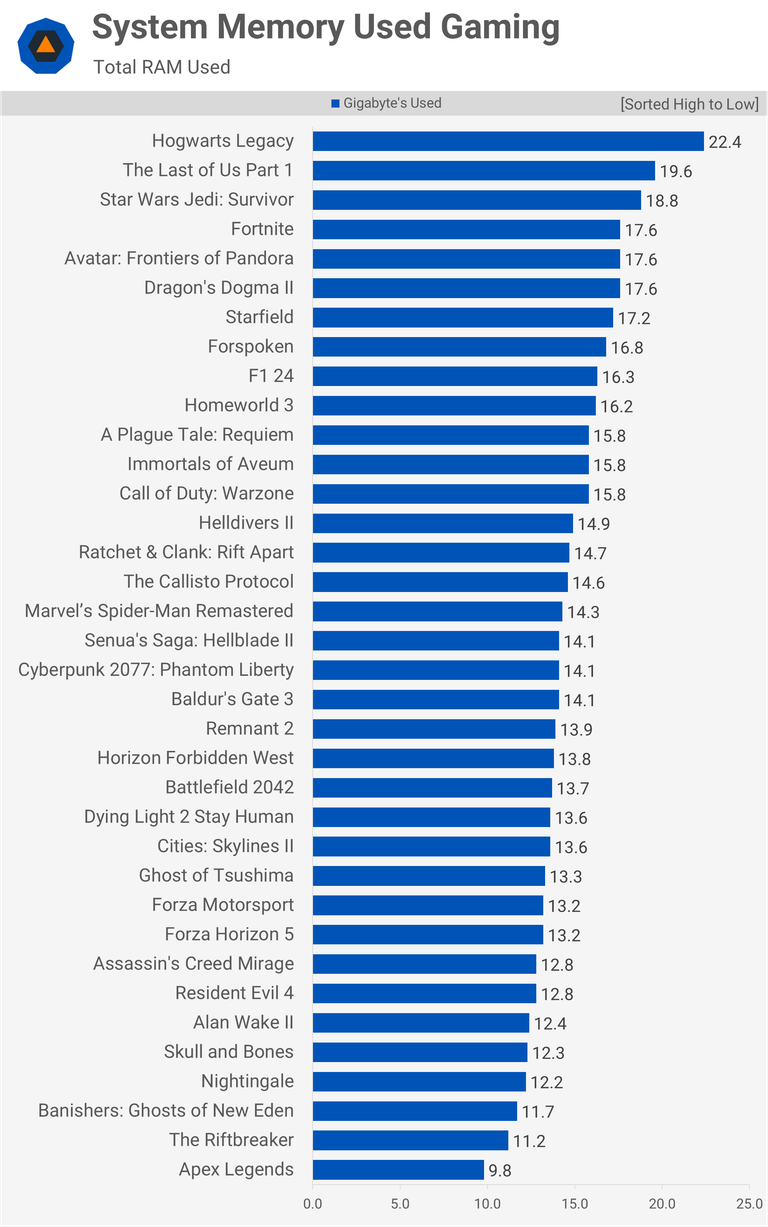
While more RAM is generally beneficial up to a point, there are diminishing returns. For most gamers, increasing RAM beyond 32GB will offer minimal, if any, performance gains solely for gaming. Most games today do not utilize more than 16GB, and even the most demanding titles rarely push past 24GB. Exceptions exist for specific workloads like heavy video editing, 3D rendering, or running multiple virtual machines, where 64GB or more becomes advantageous. For pure gaming, once you hit 32GB, investing in a faster GPU, CPU, or a high-refresh-rate monitor will typically provide a more significant boost to your overall gaming experience than adding even more RAM capacity.
How Can I Check My Current RAM Usage While Gaming?
Monitoring your RAM usage is straightforward and can help diagnose performance issues. On Windows, the easiest way is to open Task Manager (Ctrl+Shift+Esc), navigate to the 'Performance' tab, and select 'Memory.' This will show you your total RAM, how much is currently in use, and how much is available. For more detailed, real-time tracking while gaming, consider using third-party monitoring software like MSI Afterburner, HWiNFO, or HWMonitor. These tools can display an overlay with RAM usage (among other stats like CPU and GPU usage) directly on your screen during gameplay, providing immediate insights into whether your RAM is bottlenecking your system.
What Are the Signs of Insufficient RAM During Gameplay?
The signs of insufficient RAM are often frustratingly clear and directly impact your enjoyment. These include frequent stuttering or momentary freezes, especially when loading new areas or engaging in intense action. You might experience significantly longer loading times for games and levels. Another telltale sign is your PC feeling generally sluggish, even outside the game, if you have multiple applications open. The operating system might also show warnings about low memory. If you notice your hard drive activity light constantly flickering or hear frequent drive noise during gameplay, it could indicate your system is constantly resorting to virtual memory due to a lack of physical RAM, clearly signalling a need for more.
How Do I Upgrade My RAM for Better Gaming Performance?
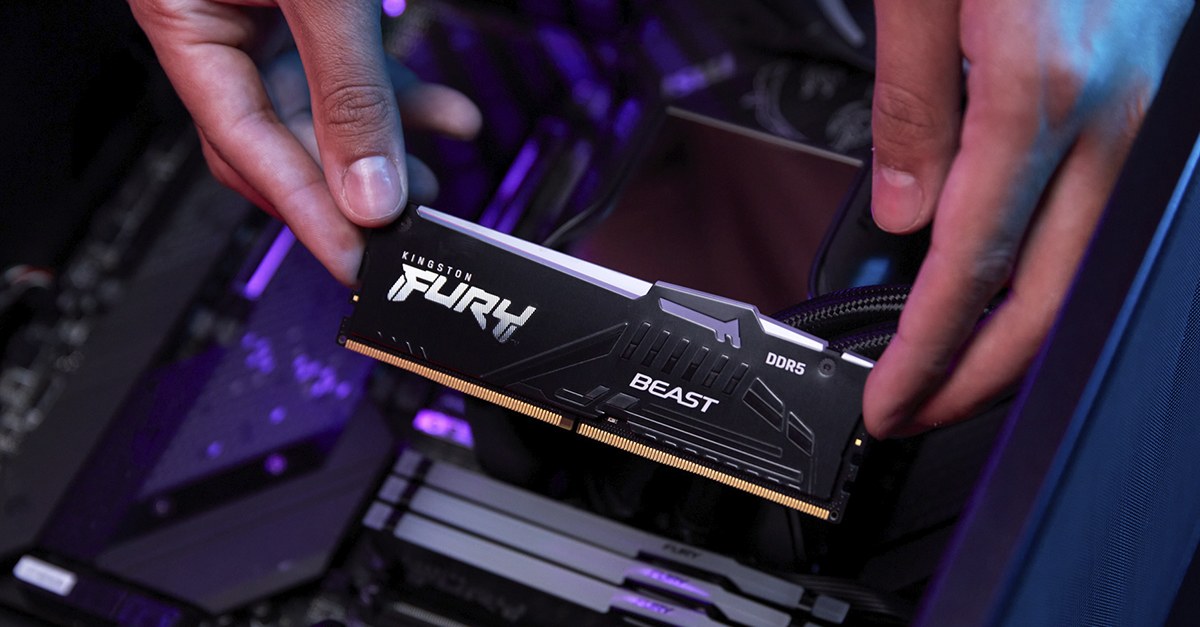
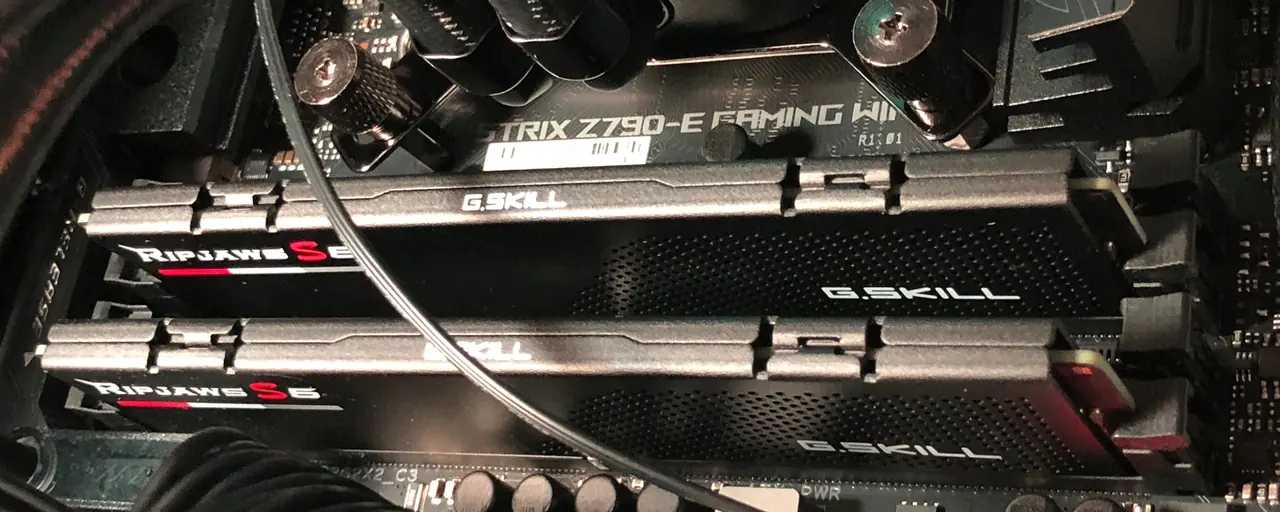
Upgrading your RAM is one of the simpler hardware improvements you can make. First, identify your current RAM type (DDR4 or DDR5) and maximum supported speed by checking your motherboard manual or using a tool like CPU-Z. Purchase new RAM modules that match the type and ideally are faster or have a higher capacity than your current setup. Most motherboards have 2 or 4 RAM slots. Power down your PC, unplug it, and open the case. Gently unclip the old RAM sticks and remove them. Insert the new RAM into the corresponding slots, ensuring they click securely into place. Start your PC, and it should automatically detect the new memory. Remember to enable XMP or DOCP in your BIOS to ensure your new RAM runs at its advertised speeds, unlocking its full potential.
Are There Ways to Optimize RAM Without Buying New Hardware?
Yes, you can optimize your existing RAM to get better performance without immediately buying new sticks. The first step is to close unnecessary background applications and browser tabs before launching a game; every open program consumes RAM. Ensure your operating system and game drivers are up to date, as these often include memory management improvements. Regularly restart your computer to clear out residual memory usage. You can also adjust your operating system's virtual memory settings, though this is often best left to default unless you know what you are doing. For specific scenarios, some programs like 'Razer Cortex' claim to optimize RAM by suspending non-essential processes, though results can vary. These steps can free up valuable resources, giving your games more room to breathe.
Does RAM Affect Streaming or Multitasking While Gaming?
Absolutely. If you are among the growing number of gamers who stream their gameplay, chat on Discord, or have multiple browser tabs open while playing, RAM capacity and speed become even more critical. Gaming itself consumes a significant amount of RAM, but adding a streaming application, voice chat software, a web browser with numerous tabs, and background utilities pushes the demand much higher. In such scenarios, 16GB of RAM can quickly become a bottleneck, leading to stuttering not just in your game but also in your stream quality. Upgrading to 32GB of fast RAM is highly recommended for streamers and serious multitaskers, ensuring smooth performance across all applications and a professional-looking broadcast for your audience.
What About RAM for Mobile and Cloud Gaming?
Mobile gaming, which dominates a significant portion of the US market, and the rising trend of cloud gaming have different RAM considerations. For mobile devices, manufacturers optimize the limited RAM (often 6GB-12GB) intensely to run games efficiently, but you typically have less control over upgrades. Newer flagship phones with more RAM generally offer smoother performance for demanding mobile titles. Cloud gaming services, like Xbox Cloud Gaming or NVIDIA GeForce NOW, abstract RAM usage entirely from the user. You are relying on the powerful server hardware in a data center, meaning your local device's RAM has minimal impact on the game's performance. Instead, a stable, fast internet connection is paramount for cloud gaming to compensate for RAM requirements.
Future-proofing How Much RAM for Games Coming in the Next Few Years?
As game development continues to push graphical fidelity and simulation complexity, RAM requirements are steadily climbing. While 16GB is currently sufficient for most titles, looking ahead to the next few years, 32GB of fast DDR5 RAM is becoming the wise choice for future-proofing your gaming PC. New console generations often set the baseline for PC game requirements, and with their robust memory allocations, PC ports will increasingly demand more. Investing in 32GB now will ensure your system comfortably handles upcoming AAA releases, complex open-world environments, and continued multitasking needs without needing another upgrade for quite some time. It is a smart investment for consistent, high-performance gaming in the long run.
Conclusion
So, does gaming use RAM? Yes, extensively. Understanding its role and ensuring you have enough, and fast enough, RAM is foundational to a superior gaming experience. For the average US gamer balancing life and leisure, optimizing your RAM means less frustration and more pure enjoyment. Whether you are upgrading to 32GB, optimizing your current setup, or simply understanding why those load times are so long, informed decisions lead to better gameplay. Keep those frames high, those load times low, and dive back into the worlds you love with confidence.
What's your biggest gaming challenge related to performance? Comment below!
FAQ Section
Is 8GB RAM enough for gaming in 2026?
No, 8GB RAM is generally not enough for modern gaming in 2026. While it might run older or less demanding titles, most new AAA games recommend or require 16GB for a smooth experience, making 8GB a significant bottleneck.
Does RAM improve FPS in games?
Yes, adequate and fast RAM can improve FPS, particularly minimum frame rates and overall frame consistency. It helps prevent stutters and ensures your CPU and GPU have quick access to game data, allowing them to perform optimally.
What is dual channel RAM and does it help gaming?
Dual channel RAM means installing two matching RAM sticks, allowing your CPU to access data simultaneously from both. This significantly increases memory bandwidth and can provide a noticeable performance boost in games compared to a single stick of the same total capacity.
Can too much RAM slow down my computer?
No, having too much RAM typically will not slow down your computer. However, going beyond 32GB for pure gaming usually offers diminishing returns, meaning the extra capacity won't translate to significant performance gains and the money might be better spent elsewhere.
How important is RAM latency for gaming?
RAM latency, often expressed as CAS Latency (CL), is important for gaming but usually less so than total capacity and frequency. Lower latency is better, as it means data is accessed more quickly. For optimal performance, aim for a good balance between high frequency and low latency RAM.
Should I prioritize RAM or GPU for gaming upgrades?
Generally, for gaming upgrades, you should prioritize your GPU (graphics card) as it has the most significant impact on frame rates and visual quality. However, if you have insufficient RAM (e.g., 8GB), upgrading RAM should be your first step to eliminate potential bottlenecks.
Does DDR5 RAM make a big difference for gaming compared to DDR4?
DDR5 RAM offers higher speeds and bandwidth compared to DDR4, but the performance difference in gaming currently varies. While some games and newer CPUs benefit more from DDR5, the leap isn't always revolutionary. DDR5 is a better future-proofing choice, especially for upcoming platforms.
RAM is crucial for smooth game loading and consistent frame rates Insufficient RAM causes stuttering and performance drops RAM speed and capacity both significantly impact gaming performance Upgrading RAM can be a cost-effective way to boost gaming experience Optimizing existing RAM can improve performance without new hardware
35

How Much RAM For Gaming In 2026 8GB Vs 16GB Vs 32GB The Ultimate Guide How Much Ram For Gaming 768x429 . Is 16GB RAM Enough For Gaming In 2026 The Truth You Need To Know Blogs 16gb Ram 2026 . Best RAM For Gaming In 2026 I Ve Tested The Best DDR4 And DDR5 RAM To 1200 80 . 2026 8 16 32 Ktc Opengraph Blog Gaming The Ultimate Ram Guide For Gamers . How Much RAM Do You Need For Gaming In 2026 AdobeStock 423480988 1 915x610

How Much RAM Gamers Need In 2026 16GB Vs 32GB Vs 64GB How Background Apps Eat Into RAM While You Game. How Much RAM Do You Actually Need For Gaming In 2026 Reforged Rigs 16GBvs32GB . The Best RAM For Gaming In 2026 Performance Prices And The RAM Best RAM In 2026 1 . RAM Prices 2026 Why Memory Skyrocketed 400 DDR5 DDR4 RAM Prices Exploded 400 In 2026 - AI Boom And Memory Shortage Explained 1 1024x549 . Is 16GB RAM Enough For Gaming In 2026 16GB Vs 32GB DDR5 Performance Ram Prices 2025 Ai Driving



We Tracked Ram Prices In 2025 This Is What We Found And What You Screenshot 2026 01 11 At 2.27.30 AM 1536x1021 . RAM Price Crisis 2025 2026 Analysis And Forecast RAM Crisis RAMageddon Memory Prices 2025 DDR4 DDR5 Expensive Memory Shortage 2026 Forecast AI And Memory . Nvidia Is Reportedly Looking To Cut Gaming GPU Production By Up To 40 . Ram Nascar 2026 What Is Ram What Does It Do How Much Do You Need Ram 2 . DO NOT Buy Any RAM OR GPU S In 2026 HERE S WHY Oardefault



RAM Reality Check How Much Memory Does Your PC Actually Need In 2026 2 . How Much RAM Do You Need For Gaming In 2026 Com Photo 1562976540. Memory Matters How Much RAM Is Needed For Your Gaming Experience How Much RAM Do I Need For Gaming . How Much Ram Does The S21 Have At Richard Armes Blog . How Much RAM For A Gaming PC In 2024 16 Vs 32 Vs 64 GB Tested In 30 Games 1720102545 2201 Photo


Ram 1500 V8 2026 Ram Full Form PrimaNYC Com 653599 En Photos Voici Comment Fonctionne Le Ram 1500 Ramcharger 2026 . How Much Ram For Gaming Optimize Your Gaming Experience With The Right Optimize Your Streaming And Gaming Experience How Much RAM Do You Really Need . Why The New 2026 Ram 1500 Near Boerne TX Is A Game Changer For HEMI 2026RAM1500 Exterior 01 . How Much RAM Do You Need For Gaming 2026 How Much Memory For Gaming.webp. Memory Matters For Gaming In 2025 CORSAIR MM Graph 2024 16v32GB 1000.format Webp.webp



The Best Cheap Gaming Laptops For 2026 Tested For Gaming Top 3 Gaming Laptops Of 2026 - The Ultimate Guide . 2026 Ram 2500 Pricing Photos Specs 2019 2026 Ram 2500 58 1 . 2026 Gaming Hardware Crisis How Rising RAM And Storage Costs Will Ddr . Ram Dakota Nightfall Concept Antecipa Nova Picape M Dia Que Ir . Ram Rho 2026 Rom Vs Ram The Difference Between Two 2025 Ram Hd



Best RAM For Gaming In 2024 Best Ram Gaming 550x309 . 10 Best Gaming Phones In 2026 10 Best Gaming Phones 2026 Main . 2026 Ram 2500 Rebel Vs Big Horn Alan Jay Chrysler Dodge Jeep Ram Of 2026 Ram 2500 Exterior . PC Gaming 2026 The End Of An Era And The Advent Of Next Gen Ventilateur Carte Graphique 700x420 . Is The 2026 Ram 2500 Worth Waiting For Compared To 2025 2026 Ram 2500 Front